
How To Choose The Right Learning Apps That Support Your Child’s Learning Needs
Team ParentCircle
ParentCircle empowers parents to raise successful children through holistic parenting.
Not every learning app is worth your child's time. This guide shows you how to spot safe learning apps for kids and pick age-appropriate educational apps that actually teach something. We cover the features that matter, the warning signs to watch for, and how to choose wisely
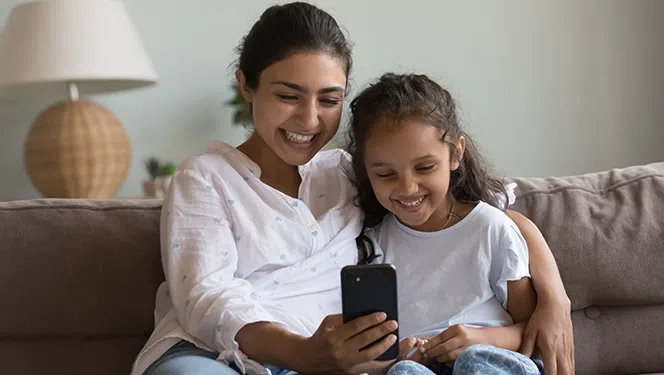
There are thousands of educational apps that promise to make children smarter, improve academic performance, or turn screen time into learning time.
When choosing a learning app for your child, you may be influenced by the highest ratings or the most downloads.
What you must consider during your search for a learning app:
- Is it safe
- Is it age-appropriate
- Is it meaningful
- Is it suited to your child's needs
Sometimes, the right choice may be not to download an app at all.
Choosing learning apps for your child in India
Indian parents can choose an app based on these considerations:
Think beyond English
English-language apps are widely available, but children may learn more comfortably in a language they know well. If your child is more confident in an Indian language, look for apps that support that language or use familiar words and contexts.
For younger children especially, an app need not replace the language you speak at home. Build on your child's existing language skills and introduce new vocabulary gradually.
Consider school needs, but don't teach only to the syllabus
An app recommended by your child's school may complement classroom learning, but you don't have to use technology simply because other children are using it.
Will the app address a genuine learning need or add more practice and pressure to your child's day? Does your child need more practice with basic math? Is reading still difficult? Would a science app encourage curiosity? Or would a creative app help your child explore an interest?
The goal is to support your child's learning, not add another source of academic pressure.
Expert tip
“When schools push for the use of learning apps, parents should ask a simpler question: Is this something they cannot get through play, conversation, movement, and meaningful relationships? If the answer is no, it may not be developmentally appropriate.” — Saakshi Kapoor Kumar, psychologist, educator, and Head of The Dot Learning Experience, a comprehensive early childhood education ecosystem. She works closely with schools and teachers to create joyful, child-centred learning environments.
Check accessibility
Not every home has a fast or uninterrupted internet connection. Check whether the app works offline or allows content to be downloaded. Also, check how much data, storage, and device capacity it requires.
If the app is difficult to navigate, requires constant adult assistance, or works poorly on your child's device, it may not be the right choice.
Choose for your child, not for comparison
Apps often promise better marks, faster learning, or advanced skills. You may be tempted to compare your child's learning with that of other children.
Instead, start with your child's interests, developmental stage, and learning needs.
The best app is not necessarily one that promises the most. It is the one that fits your child and supports meaningful learning.
“What will this screen time replace?”
How do you choose the right learning app?
App features and business models can change, so avoid relying on old ‘best apps’ lists.
Start with your child's learning goal.
First, ask what you want the app to support.
Is your child:
- Curious about science
- Interested in another language
- Keen to explore coding or creative activities
- Looking for practice in a particular school subject
Once you identify the purpose, look for an app that supports your child's needs.
Look for quality, not popularity
It’s easy to be influenced by an app with millions of downloads or a high rating. These numbers do not indicate whether it is appropriate for your child's developmental stage.
Instead, look for apps that:
- Have a clear learning objective.
- Are age-appropriate and developmentally suitable.
- Encourage thinking, problem-solving, or creativity.
- Allow children to practice rather than merely watch.
- Give useful feedback.
- Build on what children already know.
- Avoid excessive rewards, advertisements, and distractions.
It is also worth checking who created the app and whether educators, teachers, or child development experts were involved.
Don't choose an app just because it's popular
Don't assume that a popular app is right for your child.
Before downloading any app, check its current features, age range, privacy practices, costs, advertisements, and in-app purchases. These can change over time.
Most importantly, watch how your child responds:
- Does the app encourage curiosity and independent thinking?
- Does your child understand what they are doing?
- Can they use the skill away from the screen?
If not, it may not be the right app, even if other families recommend it.
Check an app before you download it
Spend some time exploring the app yourself and check its learning value:
- What exactly will my child learn
- Does the activity require thinking or simply tapping
- Does it encourage creativity, problem-solving, or exploration
- Is it appropriate for my child's age and developmental stage
- Can my child use what they learn when away from the screen
Check privacy and safety
Find out:
- What information does the app collect
- Whether it asks for unnecessary personal information
- Whether it contains advertisements or in-app purchases
- Whether children can click through to external websites or content
- What parental controls and permissions are available
- Whether the privacy policy is clear
An official app store purchase does not guarantee an app is appropriate or safe for children.
Also, check whether a ‘free’ app requires a subscription, offers paid features, or access to important content to paid users.
Try it yourself, and with your child
Trying the app yourself can reveal whether it is mostly advertising, repetitive tapping, or entertainment.
Then use it with your child and observe how they respond. An app that seems excellent to an adult may be too difficult, too easy, confusing, or overstimulating for a particular child.
Red flags to look for when choosing a learning app
Be cautious if an app:
- Makes exaggerated claims about improving intelligence or academic performance.
- Relies heavily on rewards, sounds, or animations to keep children playing.
- Contains frequent advertisements or encourages purchases.
- Requests unnecessary personal information.
- Has no clear learning objective.
- Relies mainly on memorization or repetitive tapping.
- Makes it difficult for children to stop using it.
- Does not clearly identify its developer or privacy practices.
A simple checklist for parents
Before downloading a learning app, ask:
- Purpose: What exactly will my child learn
- Fit: Is it right for my child's age, developmental stage, and ability
- Quality: Does it require thinking, creating, or problem-solving, not just tapping
- Language: Can my child understand and engage with the language used
- Safety: What data does it collect
- Distractions: Are there ads, purchases, or external links
- Access: Will it work reliably with our device and internet connection
- Balance: What will this screen time replace
- Real-world learning: Can my child use or extend what they learn away from the screen
- Stopping: Can my child move easily from the app to another activity
The best learning app may not be an app at all
Sometimes, children learn best, not through an app. They can learn through:
- Dining table conversations that help build language.
- Counting vegetables and groceries to strengthen math skills.
- Outdoor walks that become simple science lessons
- Bedtime stories that nurture vocabulary, imagination and bonding.
Choose with your child in mind
Start with one genuine need, explore the app yourself, and see how your child responds.
Is the app safe, age-appropriate, engaging, and does it genuinely support learning?
If it creates pressure, frustration, or adds more screen time without meaningful learning, it's not meant for your child.
Need more information? Trusted resources:
- World Health Organization: Guidelines on physical activity, sedentary behavior, and sleep for children under 5
- National Association for the Education of Young Children: Technology and interactive media in early childhood
- UNICEF: Online privacy guidance for parents
Before choosing a learning app, discover how educational apps can support learning without replacing play, connection, and real-world experiences.
Published on: August 13, 2026





















Comments
Edit
Comment Flag
Cancel Update