
Managing Screen Time For Children: Practical Tips To Build Healthy Digital Habits
Divya Sainathan
Divya Sainathan is a writer and editor with a special interest in early childhood education.
Finding balanced screen use for kids can feel like a daily struggle. Learn practical, guilt-free ways to create healthy screen time habits that support your child’s focus, learning, and well-being—both online and off

With children spending more time online for entertainment and staying connected with friends and family, screen time has become an integral part of their daily lives. This increased reliance on digital devices has caused traditional screen-time limits to be re-evaluated, as parents seek a balance between the benefits and potential drawbacks of technology.
Why managing screen time matters
While screens offer valuable opportunities for learning, entertainment, and social interaction, many parents are concerned about their children becoming overly dependent on them. Finding the right balance is key to ensuring that children enjoy the benefits of technology without becoming constantly glued to their screens.
How to build healthy screen time habits
How do you help your child break free of this cycle of screen dependence? Here are some practical tips:
1. Work with your child to manage their screen use
In an interview with ParentCircle, Dr Victoria Dunckley, integrative child and adolescent psychologist, said, "The more people understand how screens affect the brain, the more motivated they are to control their own use. To make your healthy screen-use plan a success, you need to get your child on board, tell them how excessive screen time can make them sick (poor eyesight, obesity, and mental health problems), and cut into important activities such as sleep, exercise, academics, and family time. Also, talk to them about online risks."
What balanced screen use for kids looks like
Here's how to help your child exercise greater digital self-control:
- After a discussion with your child, draw up a screen-time schedule based on her inputs. Display it prominently at their desk, and give them stickers they can put up on the chart to mark screen use. While making the schedule, don't forget to factor in online classes.
- Sign a technology agreement with your child. It should cover acceptable screen use, screen-free times and spaces, rewards for healthy digital behavior, and consequences for breaches. Discuss your child's conduct with them each day. Be sure to appreciate your child when they stick to their screen limits.
- Help your child use the internet safely, and show them how to monitor their screen use.
2. Set clear tech boundaries
Screens can invade every corner of our lives thanks to smartphones. And because digital babysitting serves as a quick fix for some parenting challenges, distraction has replaced mindful learning among children.
Detox advocate Tanya Goodin strongly opposes the association of screens with eating. Being distracted by a screen is not helping your child learn to focus on the signals their body is giving them as they eat, she explained in a conversation with ParentCircle. Using screens to calm down children or to reward good behavior can be counterproductive as well.
How to build healthy screen time habits
Carve out gadget-free zones and times at home to preserve the sanctity of some spaces and moments. These tips should help:
- Designate the dining table and bedroom as device-free zones. You could paste a whacky No Devices Allowed sticker on the wall or door to ram your point home. Charge your children's devices in your room at night.
- Make mealtime, study time, playtime, and family time gadget-free time. This will help strike a balance between online and offline activities.
- Refrain from using screen time as a reward for good behavior or as a distraction during tantrums.
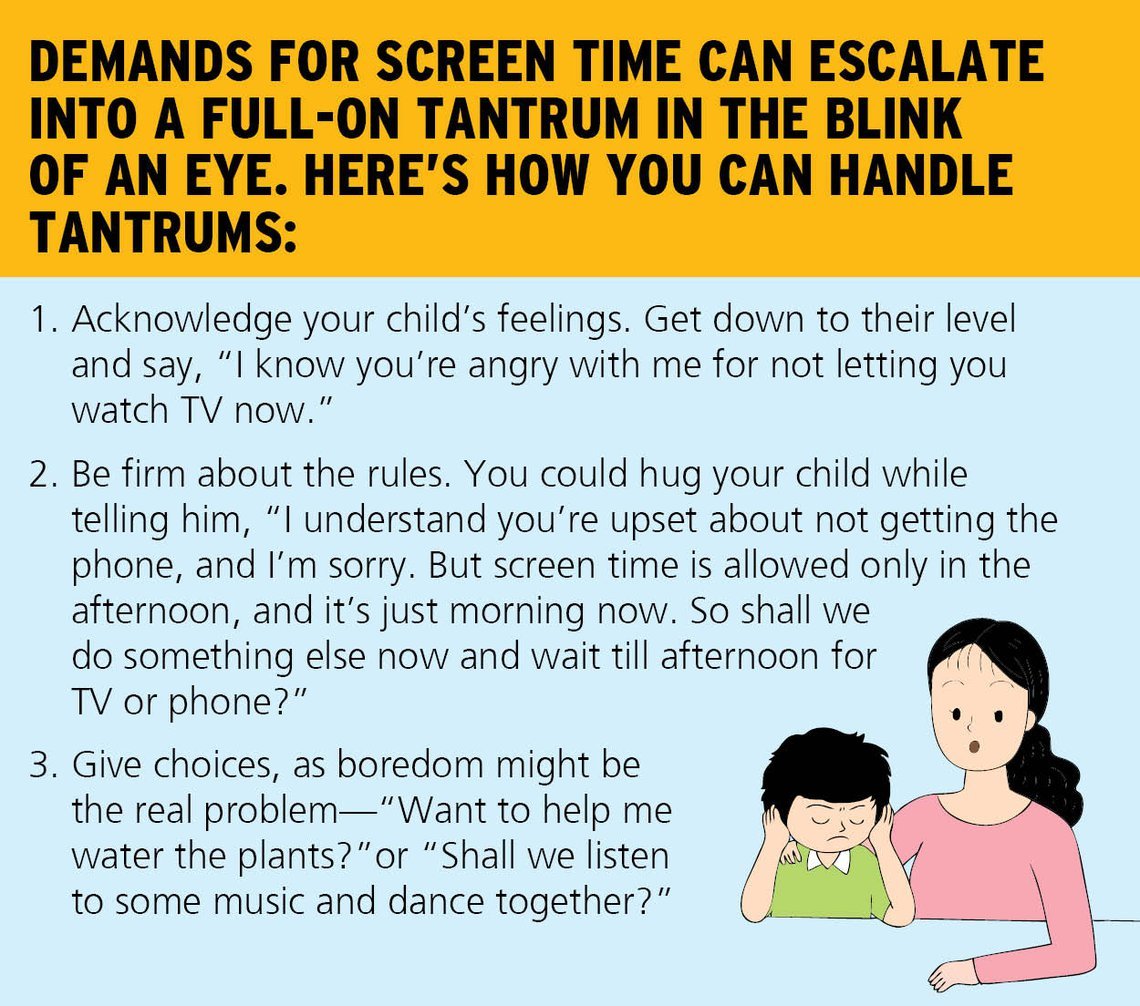
3. Encourage offline fun and family connection
Most children deprived of screen time have two major complaints: that everyone else is busy while they have nothing to do, and that they don't enjoy the offline options given by parents.
Dr Dunckley advocates family time as an alternative to screen time. Research shows that bonding and time spent together are protective against technology overuse. Bonding replaces and strengthens the brain pathways that screens attempt to hijack, she explains.
Enjoy board games as a family. Set up a home library with real books. Unwind with art and crafts. Exercise, dance, or do yoga together. Potter about in the garden. Get the kids to shell peas, put sandwiches together, or roll out rotis.
Deepika Gopal, a Chennai-based working mom of two, has taken the household-chore route successfully with her younger child. I take my 5-year-old daughter's help for simple household chores, folding clothes, shelling peas, and plucking and storing mint and curry leaves. She also loves drawing and coloring, which keeps her busy for quite some time, she says.
Safe activities for younger children include water play (under supervision), playing with play-dough, solving puzzles, and reading (under guidance). Use weekends to prepare fun worksheets or activity kits that can be used to keep children engaged during the week.
4. Model good behavior
In an interview with ParentCircle, author Blake Snow said, Do you want to teach your children how to live a heads-down life (always looking at your screen) or a heads-up life (mostly focused on the people and things in our immediate vicinity)? Setting an example is the most powerful thing we can do as parents.
We must resist the urge to reach for our phones when we're bored or when we hear the chime of a notification. As behavioral engineer and author Nir Eyal puts it, "If we want to raise children who are indistractable, we have to learn to be indistractable ourselves."

5. Use online safeguards and screen-use trackers
Our children were born into the tech that we only began to use late in life. We must do extra homework just to catch up with their intuitive use of digital devices. Children can be exposed to a wide range of dangerous content and behaviors online (e.g., violence, porn, addictive gaming, and gambling). Snow recommends enforcing firm limits on children's device usage. Look beyond password protection and privacy settings. Enlist the help of various parental-control apps to do the filtering and monitoring for you.
Some more tips:
- Place digital devices in a central and visible part of your home so that you can keep an eye on them.
- Create a child account on all devices to control permissions for downloads and purchases.
- Set up age-appropriate content controls for books, movies, TV shows, and search engine results, and limits for screen time.
- Lock the settings to prevent your child from sharing location or enabling the camera and microphone.
- Make sure you keep your credit card info out of reach of your child. There are several cases of children inadvertently spending huge sums of money on online purchases from their parents' accounts. So, don't leave any banking-related tabs or emails open for your child to access.
- Research the games that can be accessed through digital devices, and make available only those that are safe and have good reviews from parents.
- Several apps/software such as Qustodio, Google Family Link, Net Nanny, Kaspersky Safe Kids, and Mobicip support content filtering, scheduled access, and remote notification of parents.
- Major internet service providers and mobile networks also offer parental safeguards, which can be activated when children are outside or using Wi-Fi.
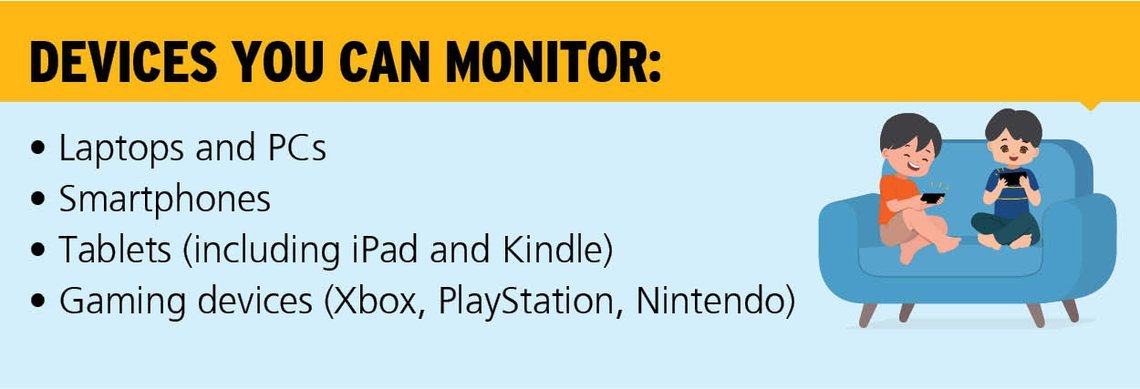
Rohini Harish, a Bangalore-based working mom of two, set up Google Family Link to monitor her 10-year-old daughter's online activities. She complained that her search results were limited, but we spoke to her and made her understand how it was for her own good, she says.
By turning our homes into schools and workplaces, the pandemic has increased the digital load at home. Even the American Academy of Pediatrics admits that our usual screen-time restrictions may have to be relaxed in the current situation. Device use is likely to grow in the future. So, seize this opportunity to learn how to balance the digital world with the real world. Ultimately, it's all about balance.
Last updated on: October 16, 2025


























Comments
Edit
Comment Flag
Cancel Update